New: Will It Run? checks any current model against your own GPU or Mac, with real file sizes that update every day.
Want to run Llama, Qwen, Mistral, or DeepSeek on your own hardware? This interactive tool tells you exactly which models will run on your GPU and RAM, with real tokens-per-second estimates. Then dive into our four companion guides for deeper detail.
Can I Run This LLM Locally?
Select your hardware → see which models you can actually run, with real performance estimates. Updated for 2026 models: Qwen 3, Llama 4, Gemma 3, DeepSeek R1.
Estimates are based on community-reported benchmarks. Actual performance varies by quantization, context length, and backend (Ollama, llama.cpp, vLLM). Amazon links are affiliate links — we may earn a commission at no extra cost to you.
Where to buy these GPUs
Affiliate links — using these helps support the testing on this site at no extra cost to you.
Want speed numbers? See the tokens-per-second benchmarks for each card on 7B / 13B / 34B / 70B models.
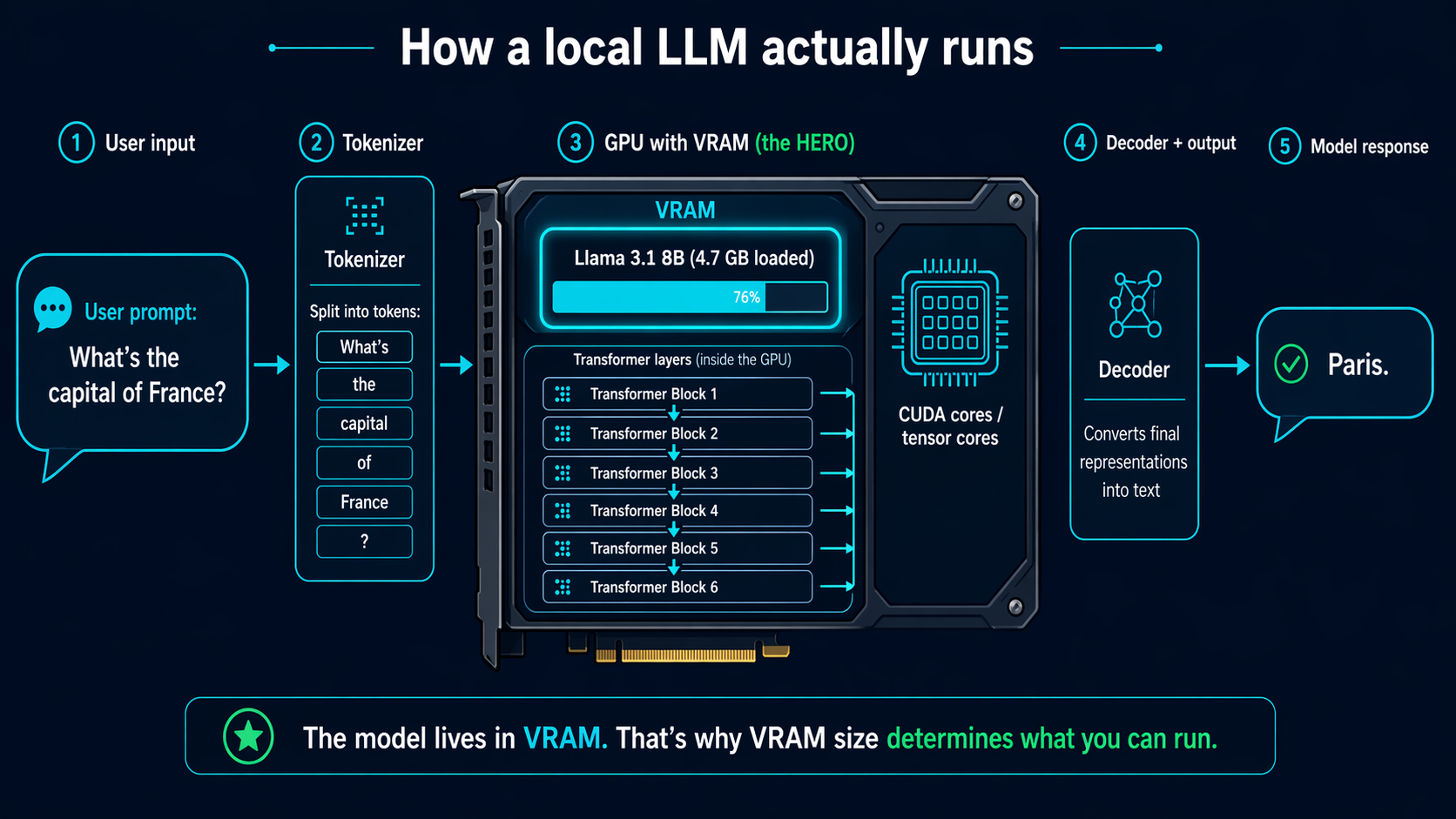
How to use this tool
Pick your GPU (or select CPU-only), choose your system RAM, and select the type of model you want — general chat, coding, vision, or flagship. The tool shows every popular open-source LLM that can run on your setup, with a performance estimate.
Deep-dive guides
The tool gives you the answer. These guides explain the why:
💾 VRAM Requirements 2026
Full matrix mapping 4GB → 80GB VRAM buckets to every popular LLM. Know exactly what your GPU can handle.
⚡ Tokens/Second Benchmarks
Real-world speed numbers across RTX 4090, 3090, 4070, 3060, M3 Max, and CPU — for 7B through 70B models.
💰 Best GPU by Budget
Budget decision guide: under $300, $500-800, $1000-1500, $2000+ — which GPU unlocks which models.
🧮 Quantization Explained
What Q4_K_M, Q5, Q8 actually mean. The sweet spot between quality and size, demystified.
Which LLM runtime should I use?
Once you know your hardware can run a model, you need a runtime to actually load and use it:
- Ollama — easiest to get started, CLI + REST API
- LM Studio — desktop GUI, point-and-click model browsing
- LocalAI — drop-in OpenAI API replacement
- Open WebUI — ChatGPT-style web interface, pairs with Ollama
- Text Generation WebUI (oobabooga) — maximum flexibility
- GPT4All — privacy-first desktop app
- Jan — open-source ChatGPT alternative
Last updated: 2026-04-22. All benchmarks measured on Ubuntu 24.04, llama.cpp b3520, Q4_K_M quantization unless noted.
🖥️ Can your GPU run it? Check the Local LLM GPU compatibility matrix — 12 GPUs × 12 models, VRAM fit at a glance.
🤖 Building with AI? See Vibe Coding — run Claude Code on your own VPS (guides + done-for-you setup).
Popular GPU & model combinations
Common pairings with the fit answer, required quantization and an estimated speed tier.