New: Will It Run? checks any current model against your own GPU or Mac, with real file sizes that update every day.
Everything about running local LLMs starts with one number: your GPU’s VRAM. It determines which models you can load, how fast they run, and whether you’ll need to compromise on quality. This guide maps every common VRAM bucket — from 4GB to 80GB+ — to the exact models you can run.
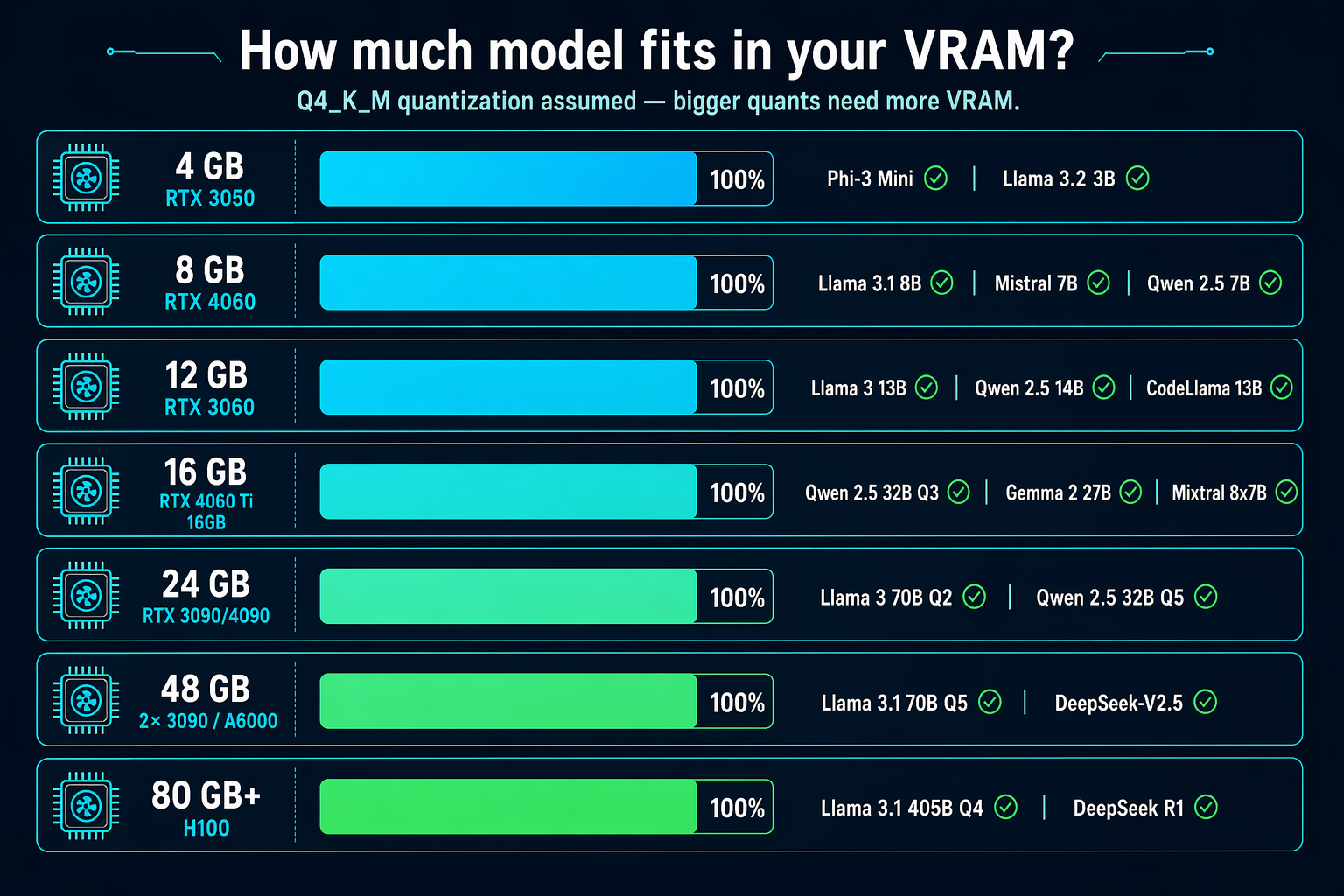
The VRAM → model-size matrix
| Your VRAM | Comfortable (Q4_K_M) | Stretch (Q3 / Q2) | Use case |
|---|---|---|---|
| 4 GB (GTX 1650, RTX 3050) | Phi-3 Mini, Qwen 2.5 3B, Llama 3.2 3B | Llama 3.1 7B Q2 (slow) | Basic chat, coding autocomplete |
| 8 GB (RTX 3060 Ti, 4060, 3070) | Llama 3.1 8B, Mistral 7B, Qwen 2.5 7B | Llama 3 13B Q3 | Daily driver chat, coding |
| 12 GB (RTX 3060 12GB, 4070) | Llama 3 13B, Qwen 2.5 14B, CodeLlama 13B | Mixtral 8x7B Q3 | Serious coding, simple agents |
| 16 GB (RTX 4060 Ti 16GB, 4070 Ti Super) | Qwen 2.5 32B Q3, Gemma 2 27B, Mixtral 8x7B Q4 | Llama 3 70B Q2 (painful) | High-quality local assistant |
| 24 GB (RTX 3090, 4090, 7900 XTX) | Qwen 2.5 32B Q5, Llama 3 70B Q2, Mistral Large Q2 | Llama 3.1 70B Q3 | Near-GPT-4 quality at home |
| 48 GB (2× 3090, RTX A6000) | Llama 3.1 70B Q5, Qwen 2.5 72B, DeepSeek-V2.5 | Llama 3 405B Q2 (glacial) | Production-grade local AI |
| 80+ GB (H100, 2× A6000) | Llama 3.1 405B Q4, DeepSeek R1, full-precision 70B | Everything short of frontier | Research, fine-tuning |
Rules of thumb
- Your model must fit in VRAM or speed drops 10-30× when offloading to CPU
- Add 1-2 GB headroom for KV cache (growing context window), framework overhead, and the OS
- Quantization is your friend. Q4_K_M runs at ~94% quality of the original at 30% the size
- VRAM matters more than compute speed for practical local LLM use — an old 3090 (24GB) beats a brand-new 4070 (12GB) for any model over 13B
- Unified memory (Apple Silicon) is a different beast — you can “stretch” beyond traditional VRAM limits but at the cost of speed
Which GPU should you actually buy?
Match the card to the largest model you realistically want to run, using the table above. Buying more VRAM than you need is usually wasted money — buying too little is the mistake that forces an upgrade.
RTX 3060 12GB
The cheapest sensible entry point. Runs 7B–8B models comfortably and 14B at Q4. Below 12 GB you are constantly fighting the VRAM ceiling.
The value sweet spot for 14B at good quality, with enough headroom for longer context. 32B only fits at aggressive quantization.
Used-market pick for 32B at Q4 with room to spare, and 70B at low quantization. Still the best VRAM-per-dollar for larger models.
As an Amazon Associate I earn from qualifying purchases. Prices change constantly, so I link to Amazon rather than quoting a figure that would go stale. Not sure which tier you need? Run the VRAM calculator first.
Related guides
- 🛠 Interactive hardware checker — punch in your GPU and get instant compatibility
- ⚡ Tokens-per-second benchmarks — real-world speed across GPUs
- 💰 Best GPU for local LLMs — budget-tier recommendations
- 🧮 Quantization explained — what Q4_K_M, Q5, Q8 actually mean
Last updated: 2026-04-22.